MoneyFlex - Cheque Printing Software
Searching for an Amazing Cheque Printing Software?
Your Search is Finished Here !
Fully Customized & Very Easy Software for Cheque Printing
Excel Based Cheque Printing Software
This is a very Simple & easy software to print any type of cheque and from any bank. You can customize this software according to your cheque template. Easily move any column like- Name, Amount, Account Payee, and all the details, which used to make the cheque. You can also change the Font Name, Size and Font Color as you like to print on Cheque.
Benefits of Using MoneyFlex
- Fully Customized Software
- Inbuilt Payment Analytics
- Print All Bank's Cheque in One Software
- Immediate Call Support
- Managing all cheques from a single point
- Cheque Issued History
- Smart Error-Free Cheques
- No Smudges and Overwriting
- Normal Cheque, Post Dated Cheque, Blank Cheque
- Personalized Font Size & Style
- Personalized Text Color
- No Need to Install - Direct Working
- Not Very Technical anyone can Understand Easily.
- Crossed Cheque, Bearer Cheque
- Quick, Easy & Save Time
- Clean Professional Look
- Compatible to All standard Printers
Cheque issued
Analytics
Print All Bank's
Cheque in one software
Drag and Drop
Feature
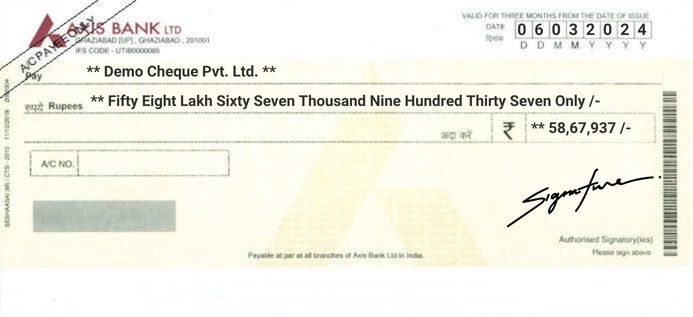
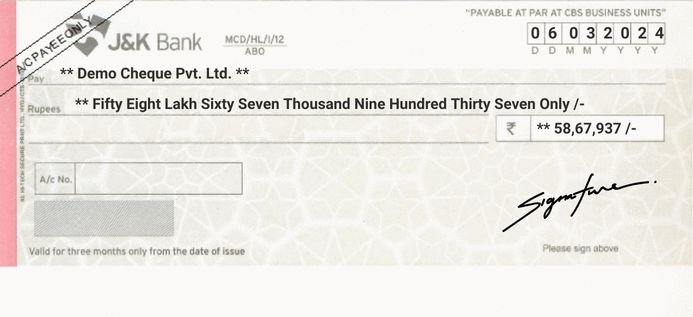
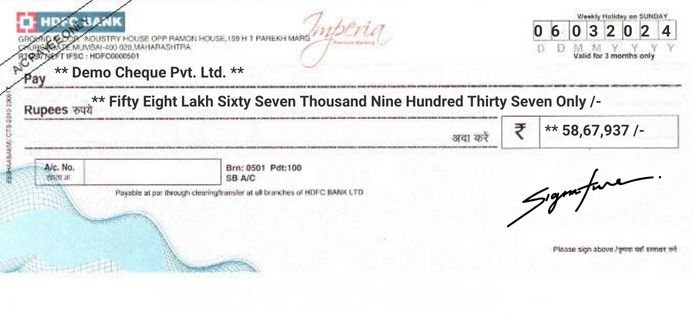
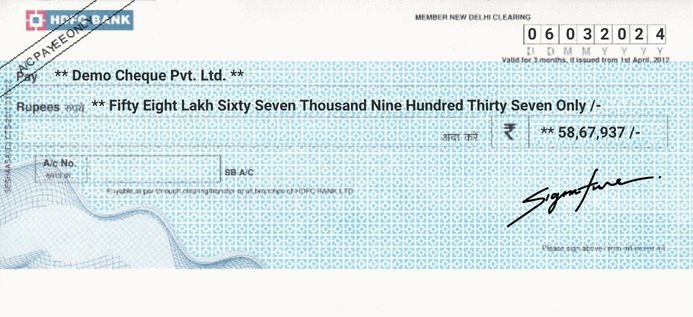
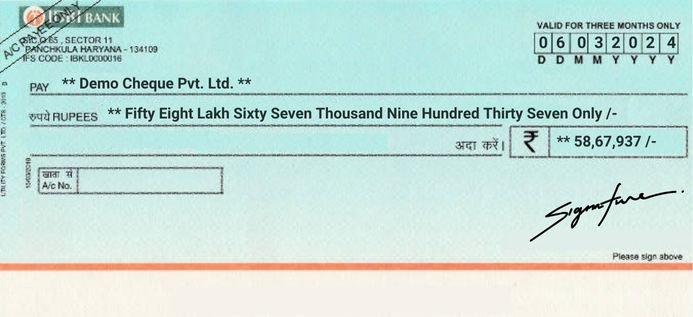
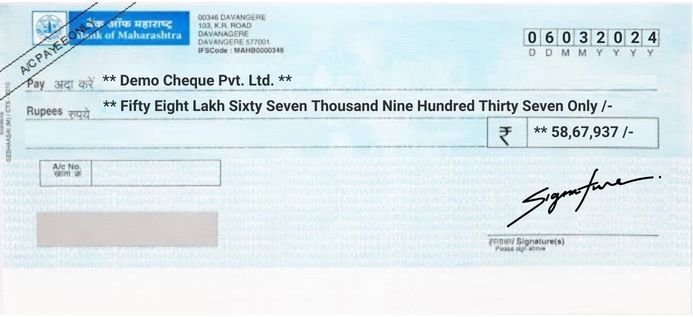
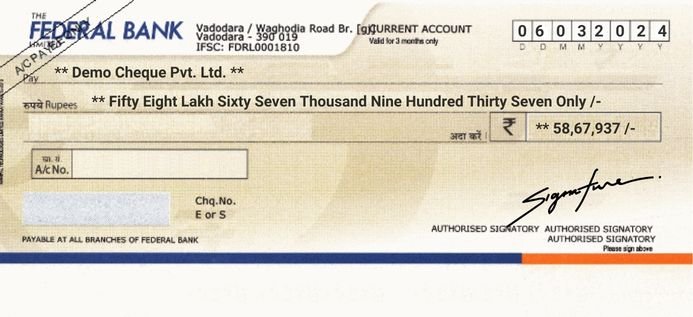
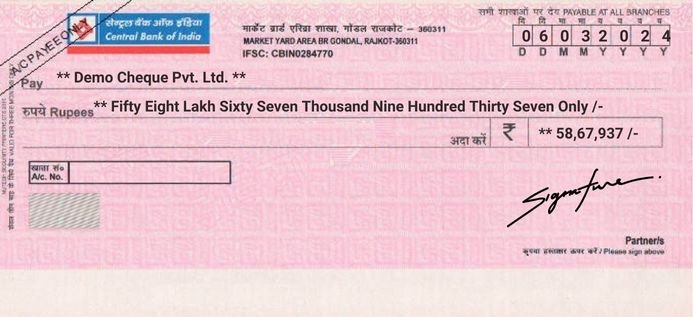
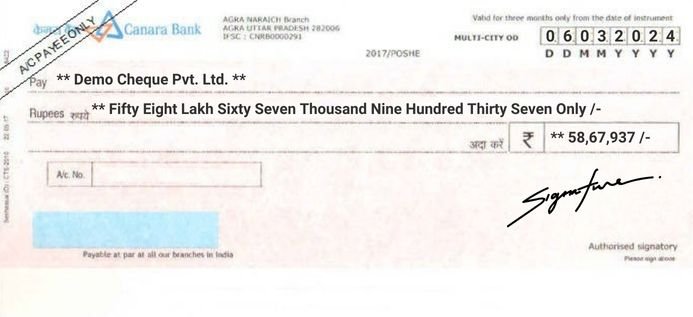
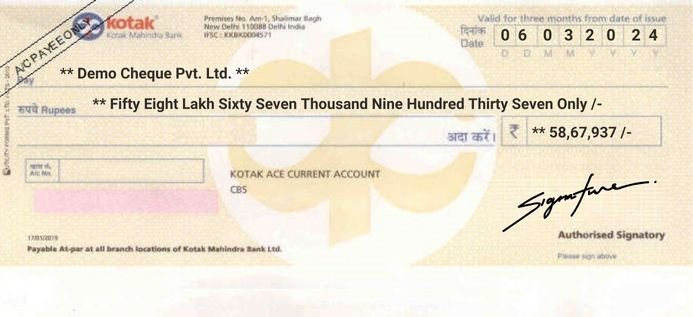
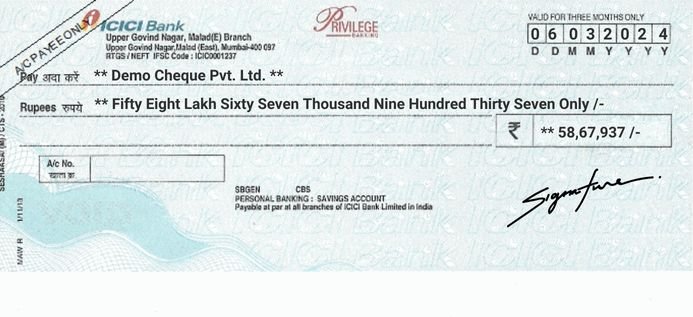
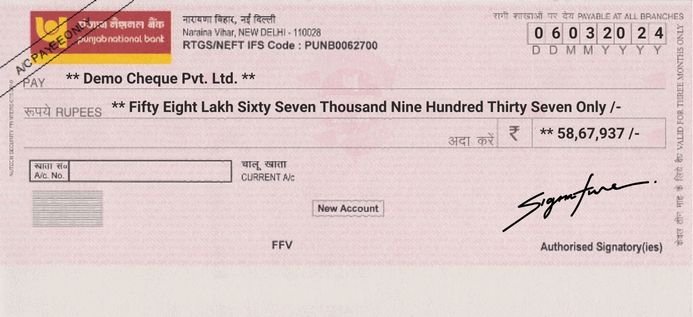
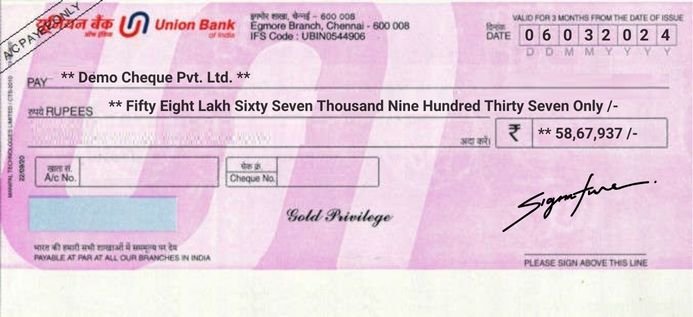
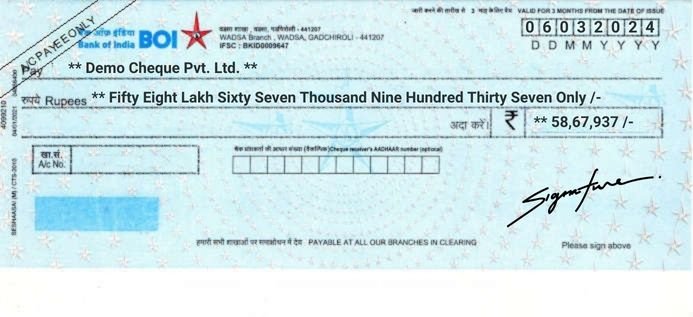
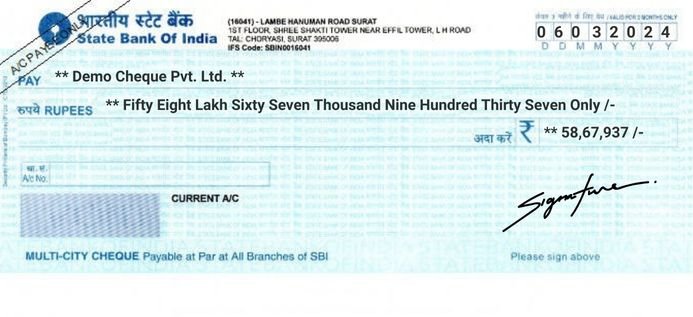
Printed Cheques
Disclaimer
This Software allows users to print key details like Payee Name, Amount, Date, and A/C Payee Only on their cheques. It does not print bank details, MICR codes, or Cheque No. because these are already pre-printed by the bank.
Some users are confused and It will print whole cheque, but this is a misunderstanding. MoneyFlex is designed only to fill details on pre-printed cheques, not to generate a full cheque. This is how all cheque printing software works and follows banking guidelines.
Cheque Printing That Saves Hours Every Month
I spent years as an accountant writing cheques by hand. Every month it was the same: vendor payments, salaries, rent, and one tired slip in the amount meant a wasted leaf.
So I built a cheque format in Excel for my own work, used it for about five years, and later turned it into MoneyFlex. It prints the date, payee name and amount on your bank's own cheque, in the right place, every time.
No More Handwriting Mistakes
You type the payee and amount once. MoneyFlex writes the amount in words in lakh and crore, adds "**" and "/-" so nothing can be added, and prints it cleanly.
No overwriting, no spelling slips in "Forty" or "Ninety", and no cheque coming back because the words and figures don't match.
All Your Bank Accounts in One File
Most businesses have more than one bank account. Set up each bank's cheque once, whether it's SBI, HDFC, a co-operative bank or any other of the banks in India, and print from any of them.
Every cheque goes into the Issued List with date, party, amount, cheque number and purpose. When a supplier asks about last month's payment, you find it in seconds.
Set It Up Your Way
Every bank's cheque is a little different, so every field can be moved: date, name, amount in words, amount in figures and A/c Payee. Change the font, size and colour if you like.
Need "Not Above" or "RTGS/NEFT" on the cheque, or beneficiary details on the back for a bank transfer? Those print too.
If You Know Excel, You Know MoneyFlex
MoneyFlex runs inside Microsoft Excel on Windows and Mac, so there's no heavy software to install and nothing new to learn. Anyone in your office who uses Excel can print a cheque on day one. And if you ever get stuck, you call me directly on phone or WhatsApp, and we sort it out together, even over AnyDesk if needed.
Try It on Your Own Cheque
The best way to judge cheque printing software is to print a cheque with it. Download the free 3-day trial, set up your bank's cheque, print a test on plain paper and then a real one.
If it saves you time, keep it. If you'd like to see it in action first, watch the demo videos.
Cheque Printing Software for All Indian Banks
MoneyFlex works with the cheques of every bank in India: SBI, HDFC Bank, ICICI Bank, Axis Bank, Punjab National Bank, Bank of Baroda, Kotak Mahindra Bank, Canara Bank, Union Bank of India, IndusInd Bank, Yes Bank, IDFC FIRST Bank and co-operative banks. Set the position of each field once to match your cheque leaf, save it, and print every time.
- CTS-2010 cheques: Prints only the date, payee name, amount in words, amount in figures and A/c Payee in the right fields. It never prints over the MICR band. Learn about CTS-2010.
- Works in Microsoft Excel: On Windows and Mac, with no heavy installation.
- Bulk cheque printing: Print many cheques in one go from your payment list.
- Cheque register and reports: Every cheque is saved with party, amount, cheque number and purpose, with party-wise and month-wise reports.
- Post-dated cheques: See how many days are left before each one is due.
- Any printer: Works with standard inkjet and laser printers.
- Free trial: Try it free for 3 days on your own cheque and printer.
Frequently Asked Questions
What is cheque printing software?
Cheque printing software prints the date, payee name, amount in words and amount in figures on your bank’s cheque leaf using a normal printer. It saves time, removes spelling mistakes and keeps a record of every cheque you issue.
Which banks does MoneyFlex support?
All Indian banks. You set the position of each field once to match your bank’s cheque leaf, so it works with SBI, HDFC, ICICI, Axis, PNB, Bank of Baroda, Kotak, co-operative banks and any other bank.
Does MoneyFlex work on Mac?
Yes. MoneyFlex works in Microsoft Excel on both Windows and Mac.
Can I print many cheques at once?
Yes. MoneyFlex supports bulk cheque printing, so you can print many cheques together from your payment list. See how bulk cheque printing works.
Which printer do I need?
Any standard inkjet or laser printer that can feed a cheque leaf. No special MICR printer is needed. Read our printer guide.
Are printed cheques accepted by banks?
Yes. Banks accept cheques with printed details when you use your bank’s own CTS-2010 cheque leaf, there are no corrections, and you sign the cheque by hand.
Does it print the cheque number or MICR code?
No. The cheque number, MICR code and bank details are already printed by your bank. MoneyFlex fills only the blank fields on your cheque.
Does it write the amount in words automatically?
Yes, in the Indian lakh and crore system with “Only” at the end. You can also try our free amount in words converter.
Is there a free trial?
Yes. You can download a 3-day free trial and test it on your own cheque and printer before buying.
Helpful guides: How to print a cheque from your printer | How to print cheques in Excel | Fix cheque alignment problems | How to write amount in words on a cheque | Best cheque printing software checklist
Free tools: Amount in words converter | Post-dated cheque schedule maker | Cheque validity checker | Cheque register Excel template
Testimonials
Address
A1, Shakoor Nagar Colony,
Najibabad,
District Bijnor
Uttar Pradesh-246763
Contact Details
Phone : +91 9536250020
Email : nazim.khan09@gmail.com